
Server configuration
For server administrators
You only need this page if you look after the machine. If you just watch, you can skip it — the defaults work out of the box.
In short
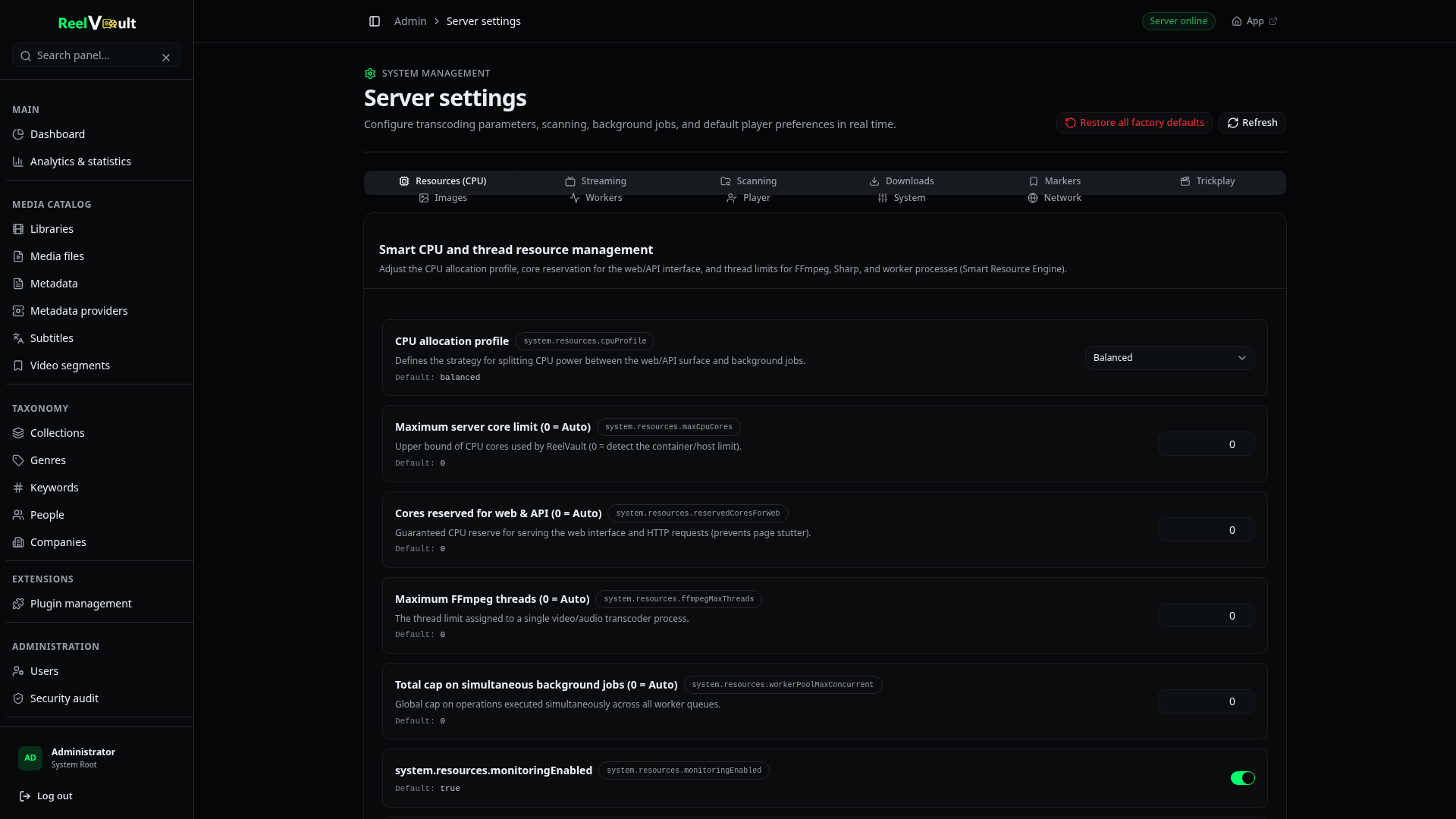
There are two layers. Environment variables are set when the server starts and cover the network, paths and secrets. Everything else lives in Admin → Server settings and mostly applies without a restart.
An environment variable is a named setting passed to the server when it starts — for example APP_PORT=3030. Where you set them depends on how you installed:
- Docker — in
docker-compose.ymlunderenvironment:, or an.envfile next to it. - Installers / archive — in
settings.env(Linux) orsettings.cmd(Windows) next to the app. - From source — a
.envfile in the repository.
Every environment variable has a sensible default, so a bare install works without touching any of this. BETTER_AUTH_SECRET is generated and saved to $ROOT_DIR/secrets.env on first start; a setup token is only generated if you enable it.
Environment variables
| Variable | Default | What it does |
|---|---|---|
NODE_ENV | production | Set to development for dev-only tracing and pretty logs. |
APP_PORT | 3030 | HTTP port. |
APP_HOST | 127.0.0.1 | Which addresses the server listens on. Set 0.0.0.0 to expose it on your network (or leave it behind a reverse proxy). |
APP_PUBLIC_URL | — | The URL people actually open, e.g. https://media.example.com. Matters for sign-in callbacks and links. |
APP_ALLOWED_ORIGINS | localhost + LAN | Extra origins allowed by CORS. Localhost, private network ranges and .lan / .local domains are always allowed. |
APP_SECURE | false | Set true when serving over HTTPS so cookies are marked Secure. |
APP_COOKIE_DOMAIN | auto | Only needed if a reverse proxy strips or rewrites the Origin header. |
APP_TRUSTED_PROXY_COUNT | 0 | How many reverse proxies may append X-Forwarded-For. 0 ignores the header; 1 for a single nginx/Caddy/Traefik. |
OPENAPI_DOCS_ENABLED | true | Serves the interactive HTTP API reference at /openapi. |
ROOT_DIR | ./data | Where the database, transcodes, downloads, plugins, images and secrets live. |
DB_FILE_NAME | reelvault.sqlite | Database file, relative to ROOT_DIR. |
APP_WEB_DIST | ./web if present | Directory with a built web app to serve on the same port (release archives set this; without it the server is API-only). |
SETUP_TOKEN_ENABLED | false | Require a one-time token to complete first-run setup. Enable before exposing a not-yet-configured server to an untrusted network. |
SETUP_TOKEN | generated when enabled | The setup token; ignored unless SETUP_TOKEN_ENABLED=true. |
BETTER_AUTH_SECRET | generated | Session/auth secret. Keep it stable across restarts and rebuilds. |
System settings
Open Admin → Server settings. The groups you will actually touch:
- Scanning — auto-watcher on/off, debounce and cooldown, scan and inspection concurrency. Leave concurrency at
0to let the server size it to your hardware. - Streaming & transcoding — encoder preset and quality, hardware acceleration mode and device, HDR handling, max sessions and per-session bandwidth.
- Images — poster/thumbnail quality and caching.
- Trickplay — thumbnail preview generation.
- Downloads — per-profile storage quota and retention.
- Workers & resources — background worker concurrency and resource thresholds.
- Plugins — the outbound HTTP allow-list and per-plugin limits.
ffmpeg must be on the PATH
ffmpeg.path and ffprobe.path are also settings: if the tools are not on the server's PATH, point these at the full paths there. The server checks that they exist at startup and refuses to run without them.
Secrets
Treat $ROOT_DIR/secrets.env, plugin config files and the database as sensitive. The server generates secrets with 0600 permissions where it can, but backups are your responsibility — see Backups & upgrades.
Next steps
- Remote access & TLS — reach the server from outside your home.
- Backups & upgrades — protect your data.
- Transcoding & hardware — tune the machine.