
Remote access & TLS
For server administrators
This page involves network settings. If you only watch at home, you do not need it. To watch on the road the easy way, start with the VPN option in Watching away from home.
In short
On your local network, one setting is enough: APP_HOST=0.0.0.0. To reach the server from the internet, put it behind a reverse proxy with HTTPS — and only after first-run setup is complete (or with a setup token enabled).
By default a ReelVault server only listens on the machine it runs on. You decide how far to open it up.
On the local network
The simplest setup: let the server listen on all interfaces.
APP_HOST=0.0.0.0Any device on the same network can then reach http://<your-host>:3030. Localhost, private network ranges (192.168.x.x, 10.x.x.x, 172.16–31.x.x) and .lan / .local domains are allowed automatically, so the client works without extra configuration. The installers do this for you — install.sh --remote on Linux, install.ps1 -Remote on Windows (the Docker image always listens on all interfaces).
If the machine has a hostname (for example reelvault.lan), set APP_PUBLIC_URL to it so generated links and sign-in callbacks point at the right place.
Exposing it to the internet
Never expose an unconfigured server
Put it behind a reverse proxy and terminate HTTPS there — do not expose port 3030 directly. Do this after first-run setup is complete, or enable a setup token first (SETUP_TOKEN_ENABLED=true). On an unconfigured server, anyone who reaches the setup wizard could create the administrator account.
A reverse proxy is a small web server that sits in front of ReelVault, adds HTTPS and a domain name, and forwards requests to the app. A typical nginx site:
server {
    listen 443 ssl;
    server_name media.example.com;

    location / {
        proxy_pass http://127.0.0.1:3030;
        proxy_http_version 1.1;
        proxy_set_header Host $host;
        proxy_set_header X-Forwarded-For $proxy_add_x_forwarded_for;
        proxy_set_header X-Forwarded-Proto $scheme;

        # WebSocket (realtime events)
        proxy_set_header Upgrade $http_upgrade;
        proxy_set_header Connection "upgrade";
    }
}
Then set:
| Variable | Value | Why |
|---|---|---|
APP_PUBLIC_URL | https://media.example.com | Correct links and sign-in callbacks. |
APP_SECURE | true | Cookies are marked Secure, so they only travel over HTTPS. |
APP_TRUSTED_PROXY_COUNT | 1 | Trust exactly one proxy for X-Forwarded-For — the client IP is used for rate limiting and the audit log. Increase only if you have a CDN in front. |
APP_ALLOWED_ORIGINS | your domain, if needed | Usually unnecessary; add it if the browser origin differs from the server URL. |
Do not drop the WebSocket upgrade
Without it, playback controls and live updates fall back to polling or stop working.
If your proxy rewrites or drops the Origin header, set APP_COOKIE_DOMAIN as well — otherwise leave it alone, since the server works it out automatically.
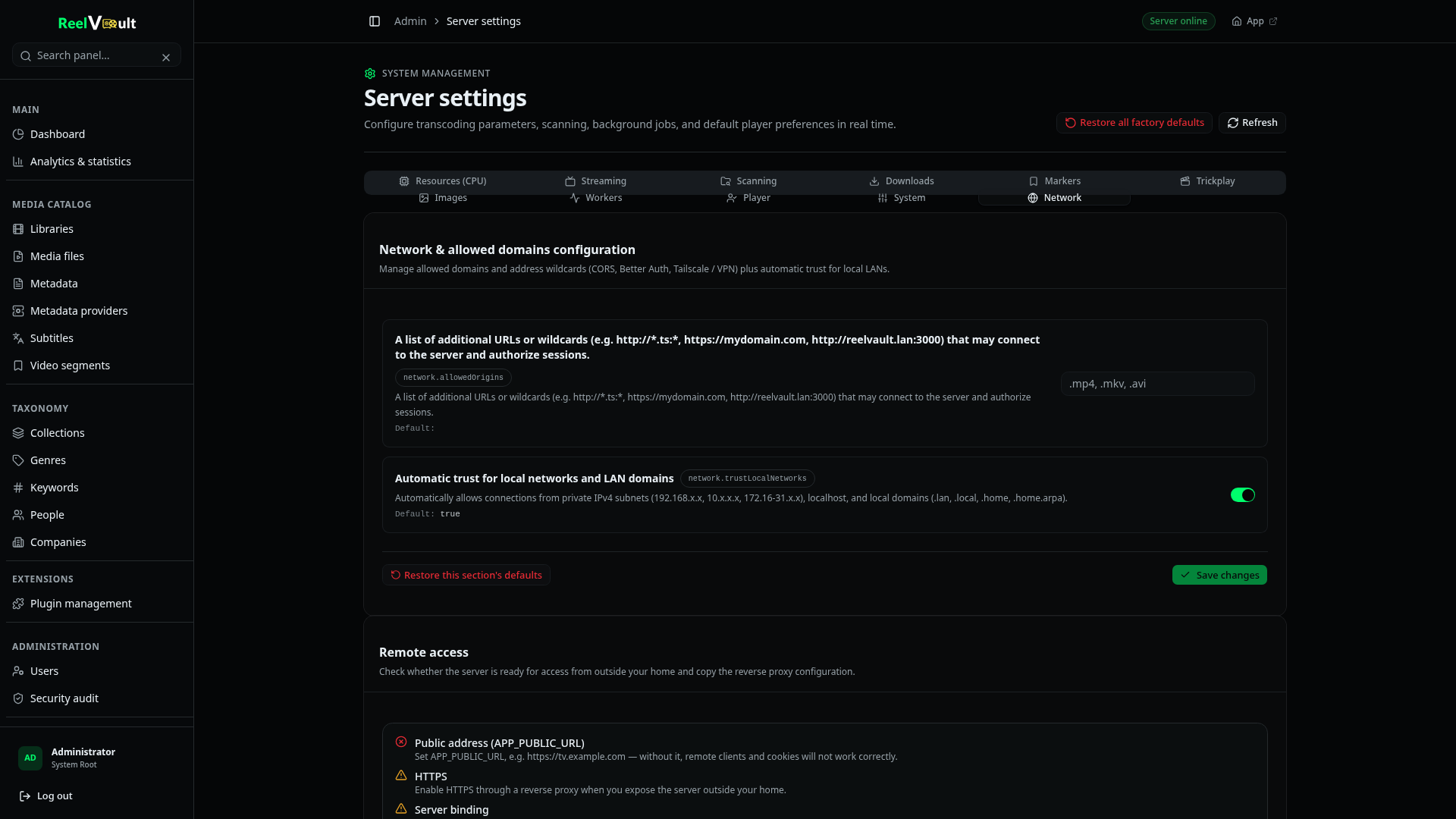
Check your setup
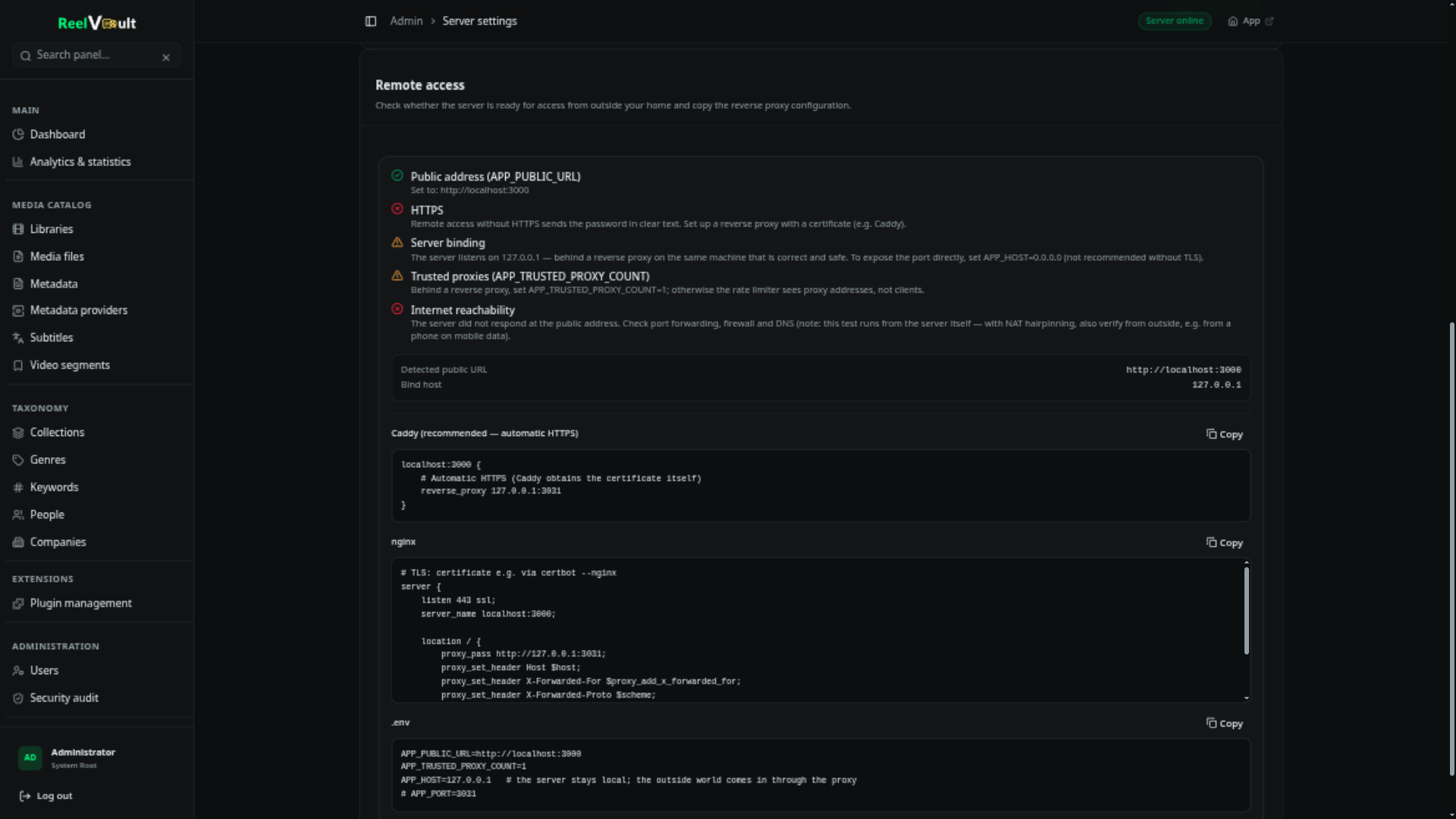
Admin → Server settings → Network includes a Remote access card: it inspects the bind address, the public URL, allowed origins and proxy settings, and tells you what a client outside your network would experience. It also generates reverse-proxy snippets for Caddy and nginx. Run it before you take the server public.
A safer default
If you only need access for a few people, a VPN is less work and less risk than publishing the server: WireGuard, Tailscale and similar tools give every device a private address that reaches the local-network setup above. Nothing is exposed to the public internet, and you keep plain http:// on the tunnel.