
Adding your media
In short
A library is a folder (or several) you tell ReelVault to watch, marked as movies or TV shows. Add one in Admin → Libraries, then run a scan — titles, posters and descriptions follow automatically.
A library is a set of folders with a type. Movies and TV shows are scanned differently — a movie folder holds films, a TV library expects seasons and episodes — so give each kind its own library.
Create and manage them in Admin → Libraries.
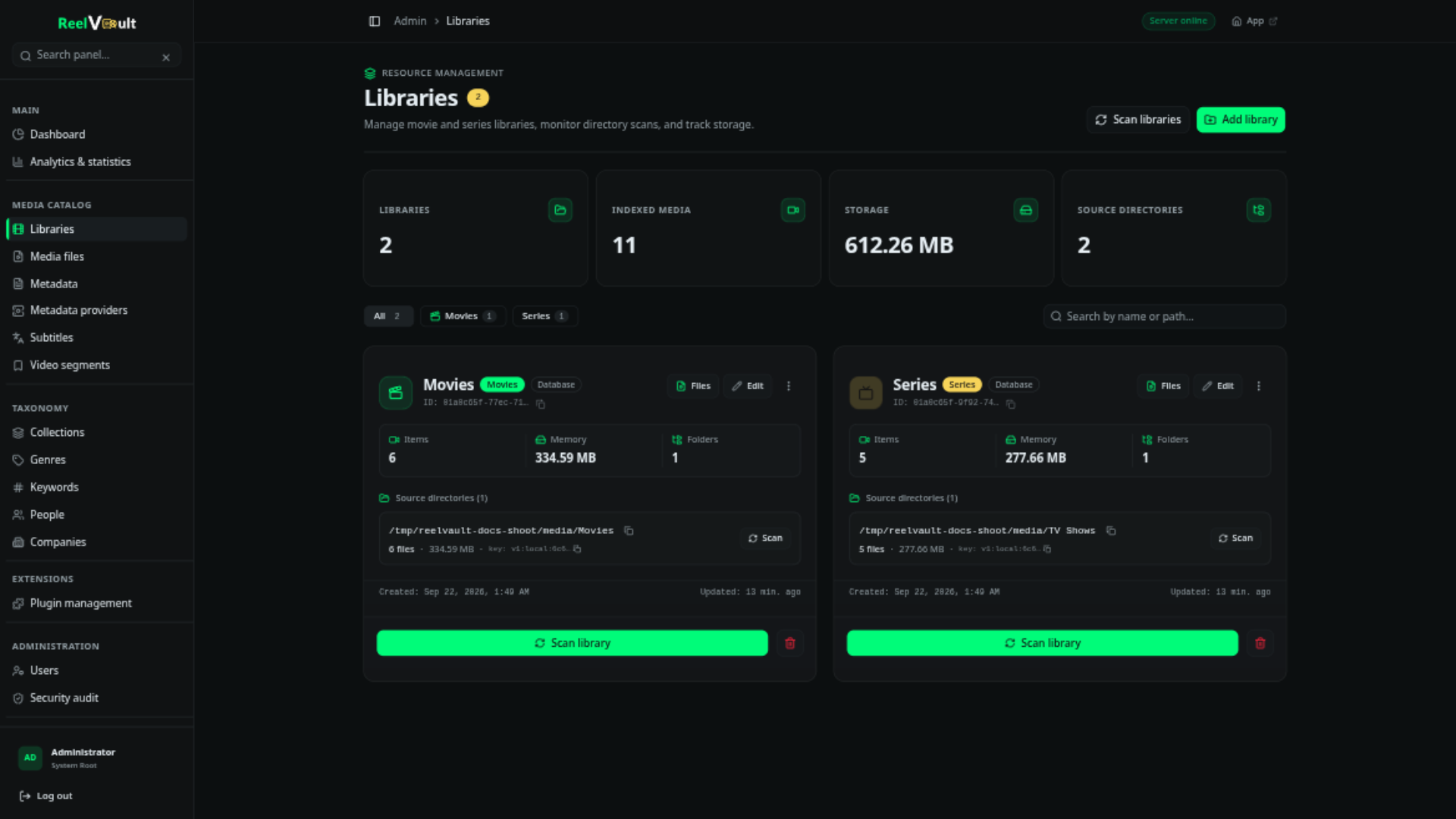
Create a library
- Give it a name (shown in navigation) and a type: movies or TV shows.
- Add one or more paths — the folders the server should watch. A path can be a network drive, as long as the server can read it.
- Save, then run a scan.
That is all most people need. The scan reads your file and folder names to work out the title, year, season and episode, and ignores release-name extras like resolution or source.
How your folders should look
There is no rigid structure, but a little consistency helps matching:
- Movies — a folder or file per film, ideally with the year:
The Matrix (1999)/The Matrix (1999).mkv. - TV — a series folder, then seasons:
Breaking Bad/Season 01/Breaking Bad S01E01.mkv. - Extras, samples and hidden files (names starting with a dot) are skipped automatically.
That is enough for most libraries. For the full set of patterns and fixes, see Naming your media.
If a title is matched wrongly, you can fix it later — see Artwork & descriptions.
Scanning
- Manual scan — start one from the library page whenever you have added files.
- Auto-watcher — with
scanning.autoWatcherEnabledon, the server notices new files by itself. To avoid rescanning while a big copy is still running, it waits a short moment and then a cooldown before scanning (both configurable in Admin → Server settings).
The scan walks each path, skips files it has already seen, and queues technical inspection in the background. Progress and per-file results show up in the library and in Admin → Background jobs (see Background jobs).
When something is missing
- Files a scan could not identify (unknown structure, wrong library type, no metadata match) appear per library under Needs attention, with a one-click rescan.
- Admin → Media files lists every file the server knows about, with its path and identification state.
- Ignored assets are files the server skipped on purpose (extras, samples, trailers, hidden files). You can review and un-ignore them from the library.
- If a file disappears from disk, the server marks it unavailable rather than deleting the entry, so history and progress survive a drive swap.
Advanced: metadata files (sidecars)
For administrators and tinkerers
You can ignore this unless you also use another media server (Jellyfin, Kodi, Emby) and want the two to share metadata.
By default everything stays in ReelVault's own database and nothing is written next to your media. Each library (and each path) can instead use one of:
| Mode | What happens |
|---|---|
database (default) | Everything stays in ReelVault's database. Your media folders stay untouched. |
sidecar | Metadata is written to .nfo files next to the media. |
database_and_sidecar | Both — read from the database, mirrored to sidecar files. |
Sidecar libraries also pick a flavor:
| Flavor | Files written |
|---|---|
reelvault (default) | movie.reelvault.nfo, tvshow.reelvault.nfo, season01-reelvault.nfo, <basename>.reelvault.nfo |
kodi | movie.nfo, tvshow.nfo, season01.nfo, <basename>.nfo |
The kodi flavor writes plain Jellyfin/Kodi-compatible XML, which is what makes a library portable to other media servers. Either way, sidecars mean writing files into your media folders — for read-only mounts, use database.
Importing existing NFO files
If your folders already carry .nfo sidecars (for example, migrated from Jellyfin or Kodi), the scan reads them before reaching out to any metadata provider:
movie.nfo/<basename>.nfonext to a film,tvshow.nfofor a series,season01.nfofor a season and<basename>.nfofor an episode.- Titles, release dates, genres, ratings and IMDb/TMDB ids come from the NFO; the id pins the match so rescans never create duplicates — even fully offline.
- Local artwork (
folder.jpg,poster.jpg,backdrop.jpg,fanart.jpg, episode thumbnails…) is imported automatically.
ReelVault's own *.reelvault.nfo sidecars are a write format and are not read back by scans.
Next steps
- Artwork & descriptions — make titles look right.
- Playback & quality — how files are streamed.
- Background jobs — watch scans and other background work.