
Background jobs
For server administrators
This page is about work the server does behind the scenes. Watching a movie does not require it.
In short
Everything ReelVault does that is not a page request — scanning folders, fetching metadata, generating previews — runs through a background queue. Open Admin → Background jobs to watch, pause or cancel it.
Almost everything ReelVault does outside of an active request runs through a background worker queue: scanning folders, inspecting files, importing metadata, refreshing images, generating trickplay, sending webhooks, and any jobs plugins register.
Open Admin → Background jobs to see it.
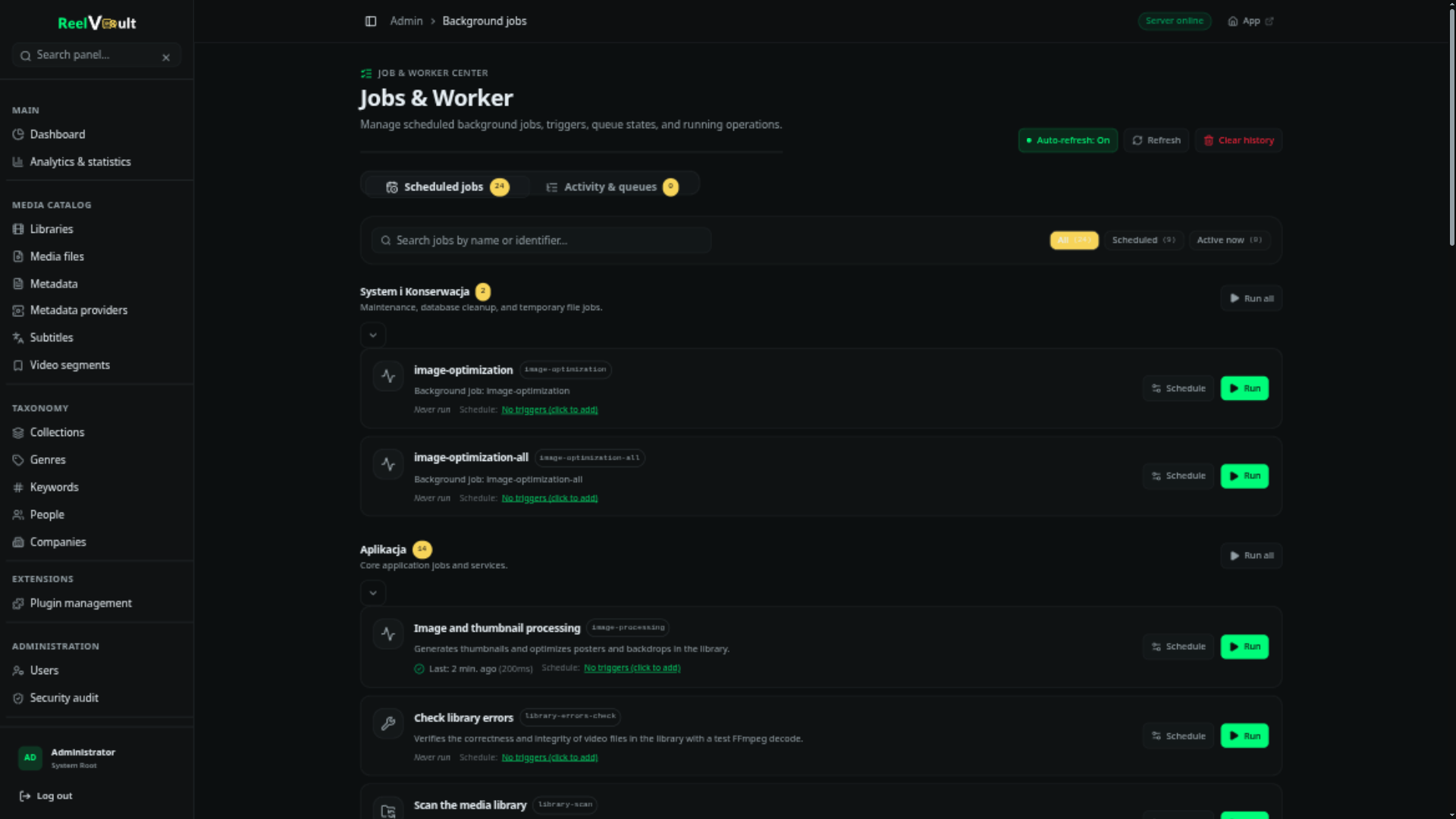
Jobs and operations
- A job is one unit of work — "inspect this file", "refresh this title".
- An operation groups related jobs so you can follow or cancel them together. A library scan, for example, is one operation made of many jobs.
The queue handles retries, backoff, concurrency limits, progress and cancellation on its own. Jobs that fail after their retries are kept in history with the error, so nothing fails silently.
What to do here
| Task | Where |
|---|---|
| Watch current activity and progress | Workers — active jobs, by worker |
| Fix a stuck queue | Pause, resume, cancel a job or a whole operation |
| Trigger a worker on demand | Run on any worker |
| Inspect history | The history panel, filterable by worker and state |
| Change concurrency or triggers | Admin → Server settings → Workers, or a worker's own settings |
Scheduled tasks (daily refreshes, weekly cleanups, plugin cron jobs) appear alongside the rest and can be triggered manually for testing.
Working with load
The queue stays out of the way: the server sizes worker concurrency to the hardware it detects (CPU cores, memory, even container quotas) and dials it down automatically when the machine is under pressure. If you set concurrency yourself, that value wins — leave it at 0 in the settings to get automatic sizing back.
If a scan or metadata refresh competes with playback on a small machine, lowering worker concurrency is the quickest fix. The server also pauses background workers under sustained load; playback is protected.
Plugins
Plugins can register their own jobs and scheduled tasks, which appear in this same dashboard. See Jobs, events & hooks for the authoring side.